Finally, a player for your Navidrome library.
Modern Apple design, deeply integrated with iOS. Finally, something for the people who actually own their music.
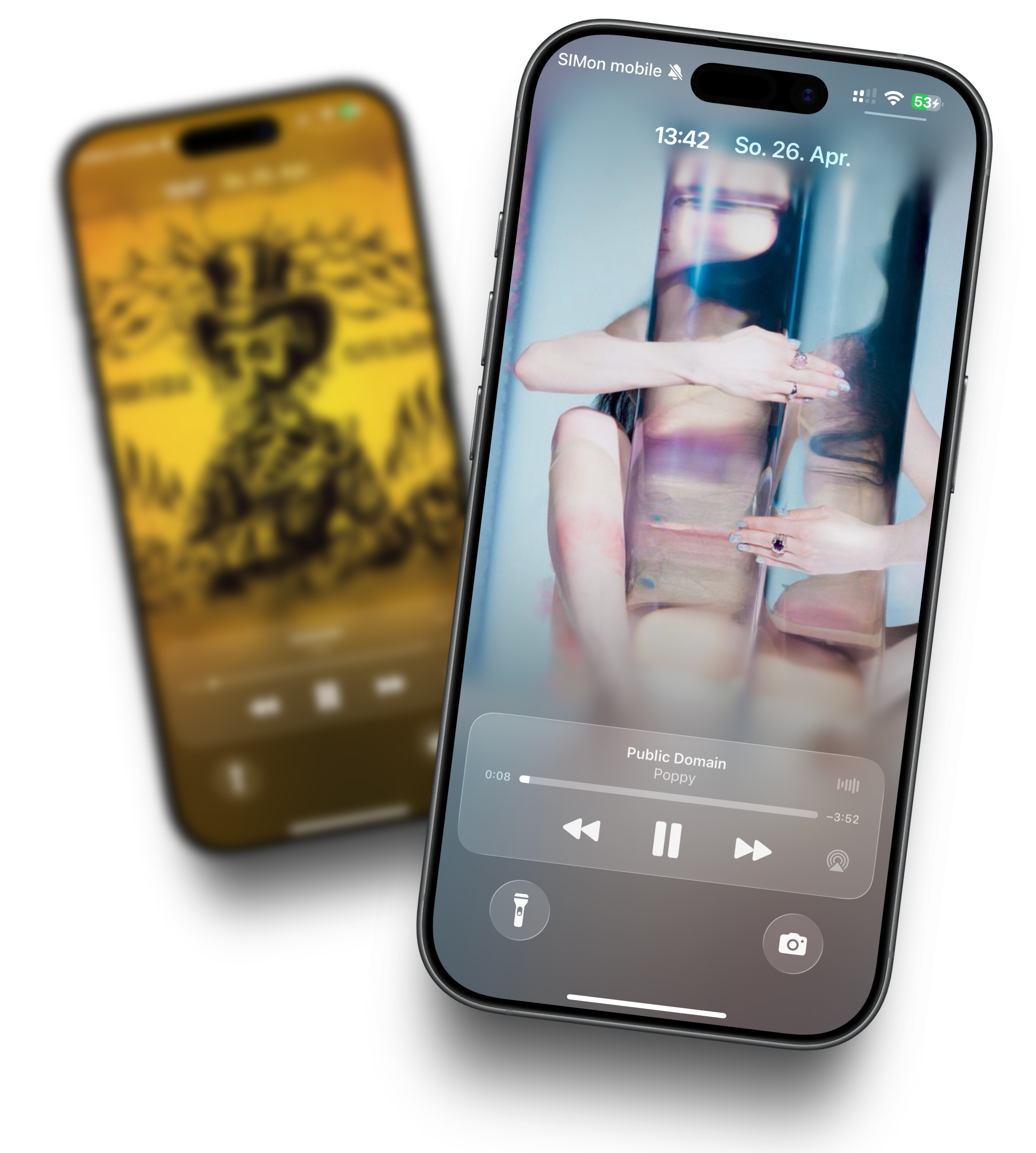
Animated artist wallpapers. Every song.
Whenever a new track plays, the artist photo fills your lock screen. Smoothly animated, in the spirit of Apple's latest design. Pick up your iPhone and you don't just see what's playing — you feel the whole mood.
- Full-screen artist photo, automatic per track
- Animated transitions between tracks
- In the spirit of iOS 17+ and Apple Music
- Live Activities + Dynamic Island integrated
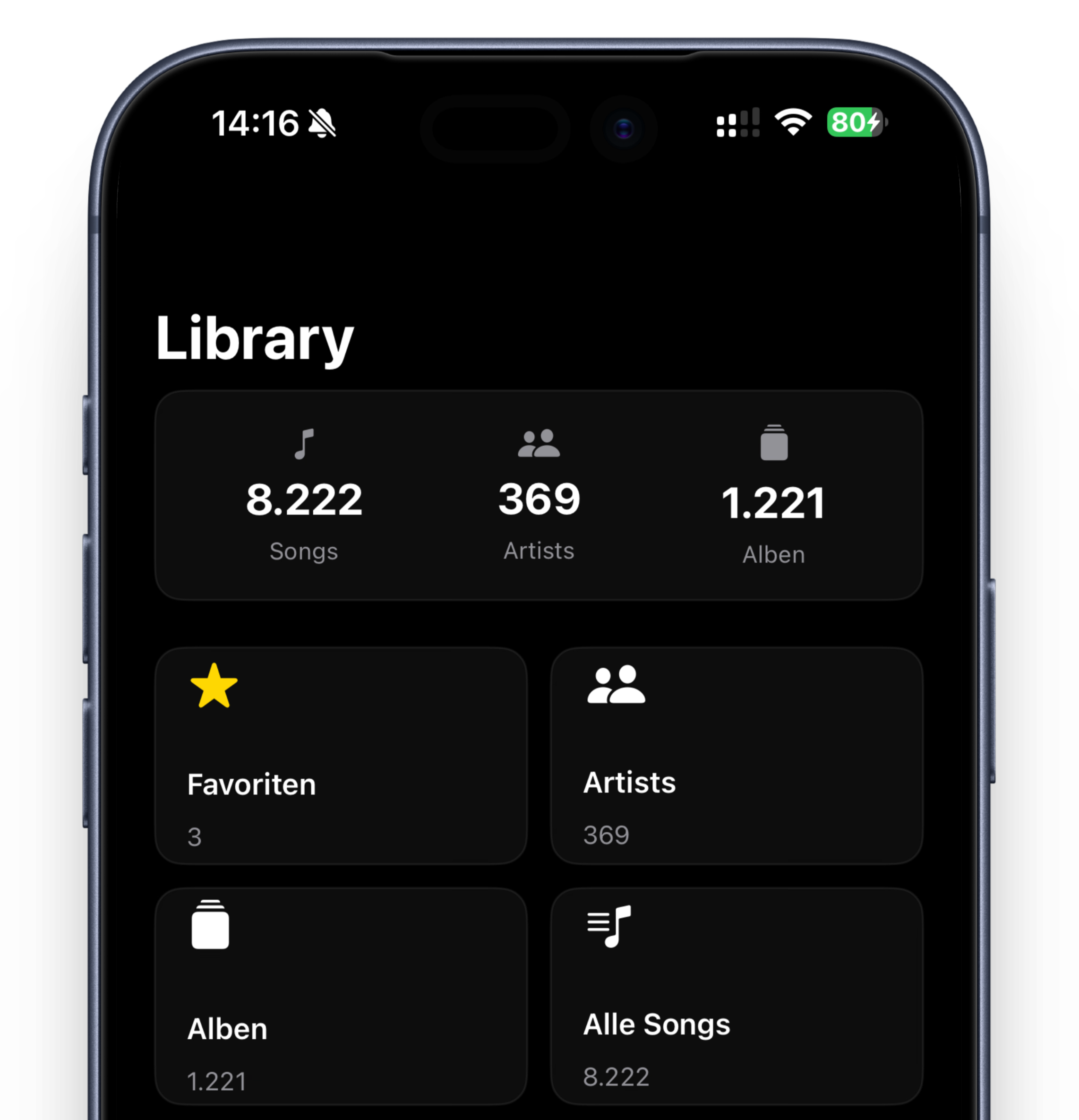
Your library, the way you actually find things.
8,222 songs, 369 artists, 1,221 albums. Finally somewhere you can reach all of them again. Browse by album, artist or year, favourite the records that matter, the rest shows up as cover tiles right when you want it.
- Smart browse · album · artist · genre · year
- Favourites pinned, your way
- Stat tiles right in the header
- Two-way playlist sync
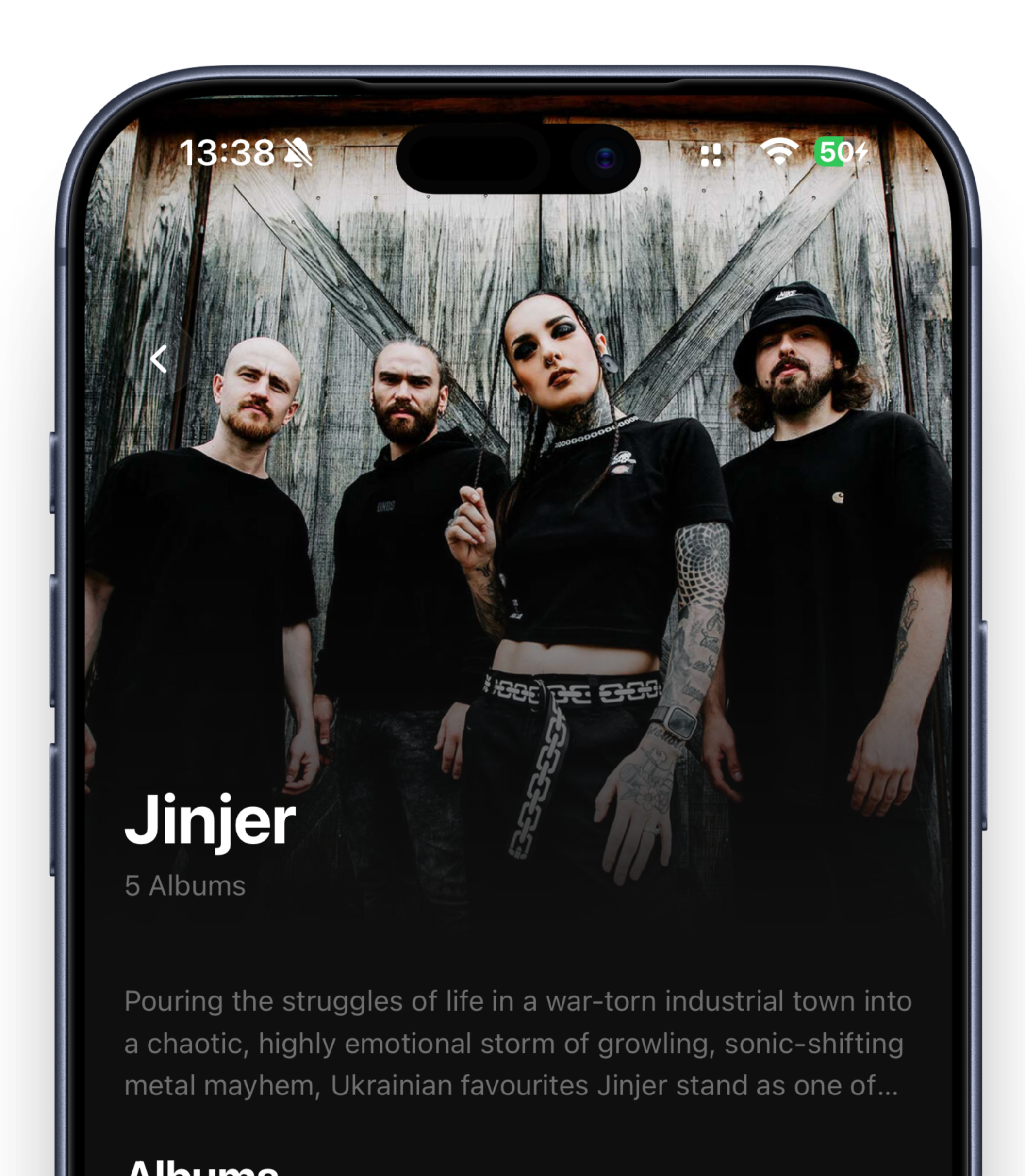
Every artist, their own chapter.
Tap on Jinjer, Gesaffelstein or whoever you're in the mood for. Darktone brings up their photo, biography and full discography full-screen — the way the album sleeve always wanted you to listen.
- Full-bleed artist photos from your server
- Biographies and album histories
- Group discography by year or label
- Quick-play, queue-album, shuffle-artist
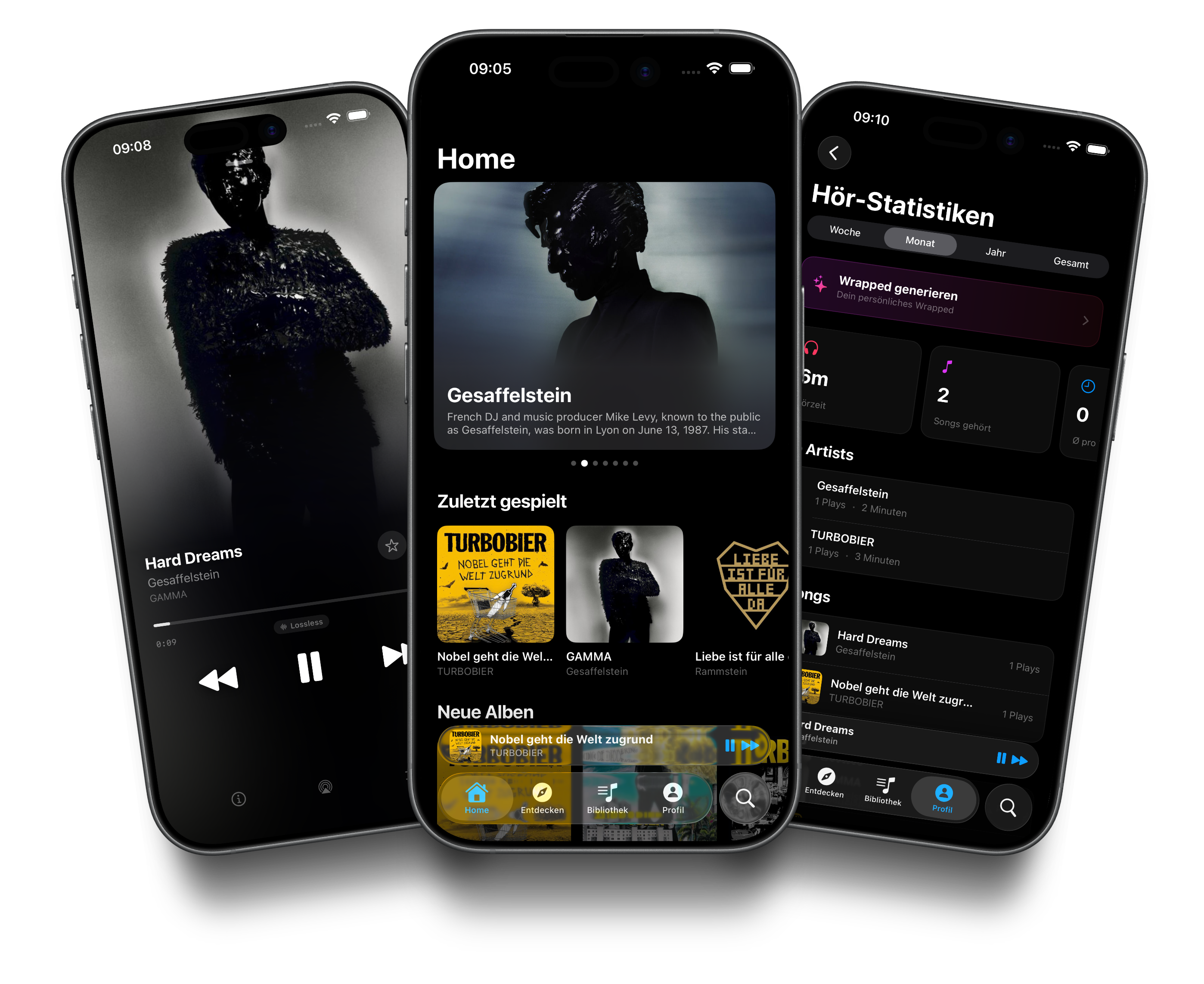
A player that follows you through the app.
Wherever you are in the app, the mini-player stays at the bottom. Tap it and the full player opens. Swipe up and the queue appears. That's all you need, really.
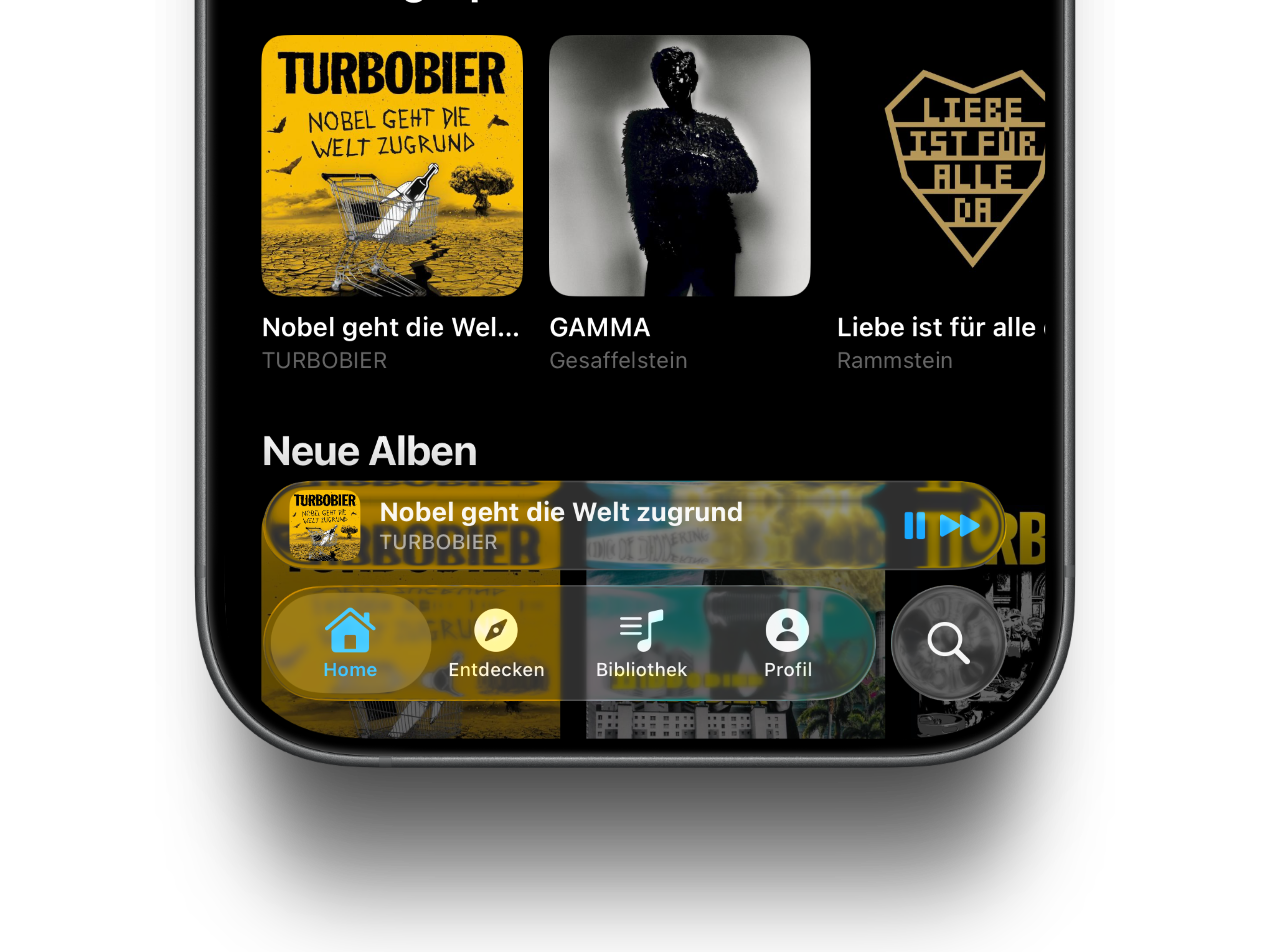
Your server. Your data. Your call.
Darktone sees none of you. No library data, no listening history, no accounts. Your bits flow directly between you and your Navidrome server. Spotify isn't watching.
- End-to-end private · zero telemetry
- Local network, VPN, reverse proxy — whatever you've got
- Optional Last.fm and ListenBrainz, nothing else
- Open-source player, open-source server
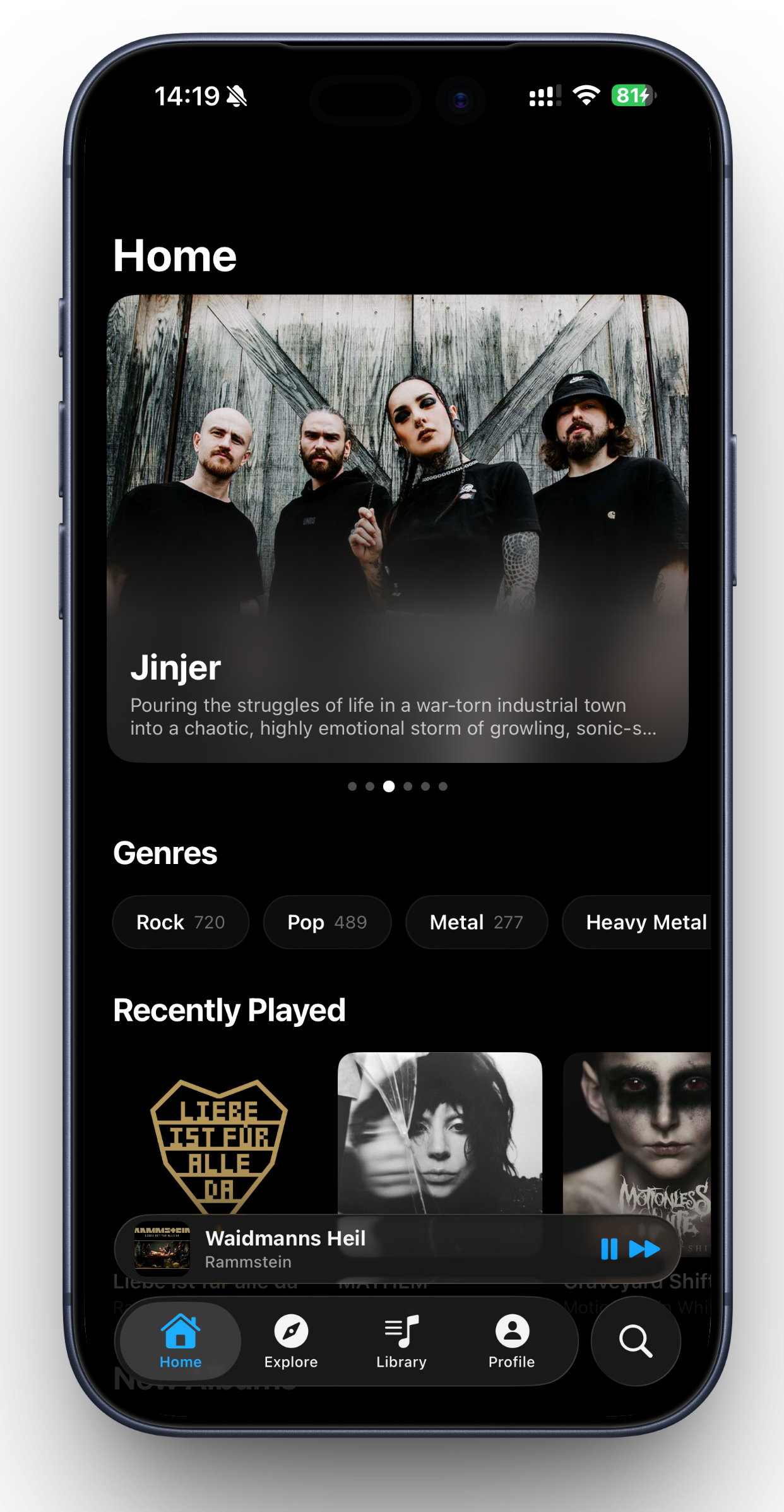
Featured artists, fresh from your shelf.
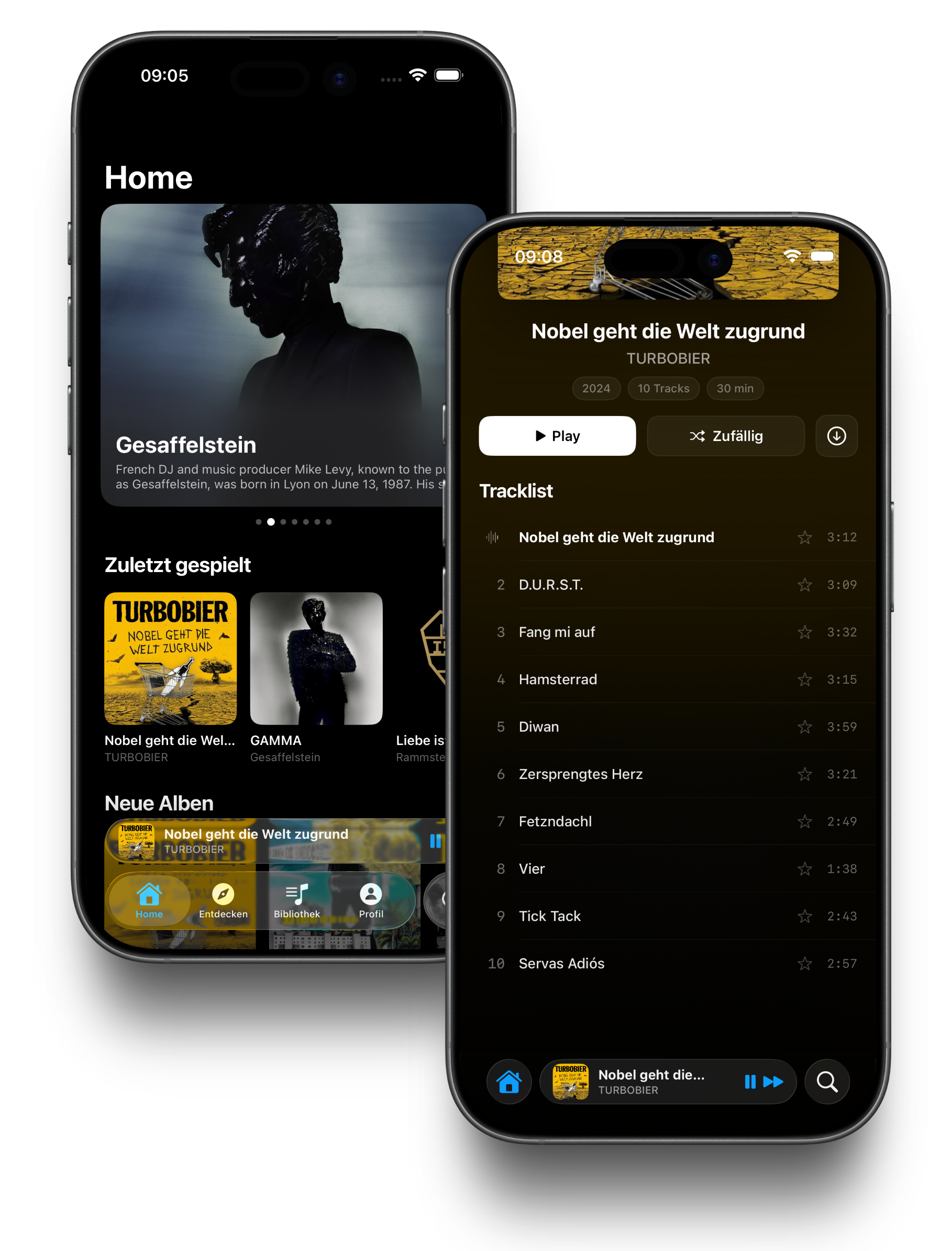
What you're playing, what you'd long forgotten, what just landed on your shelf this week. Plus a huge artist photo, genre chips to dig deeper, and a mini-player that doesn't leave you alone.
- Featured artist with full-screen photo and bio
- Genre chips · Rock 1,119 · Pop 480 · Metal 277
- "Recently played" carousel of last albums
- Mini-player at the bottom · always visible
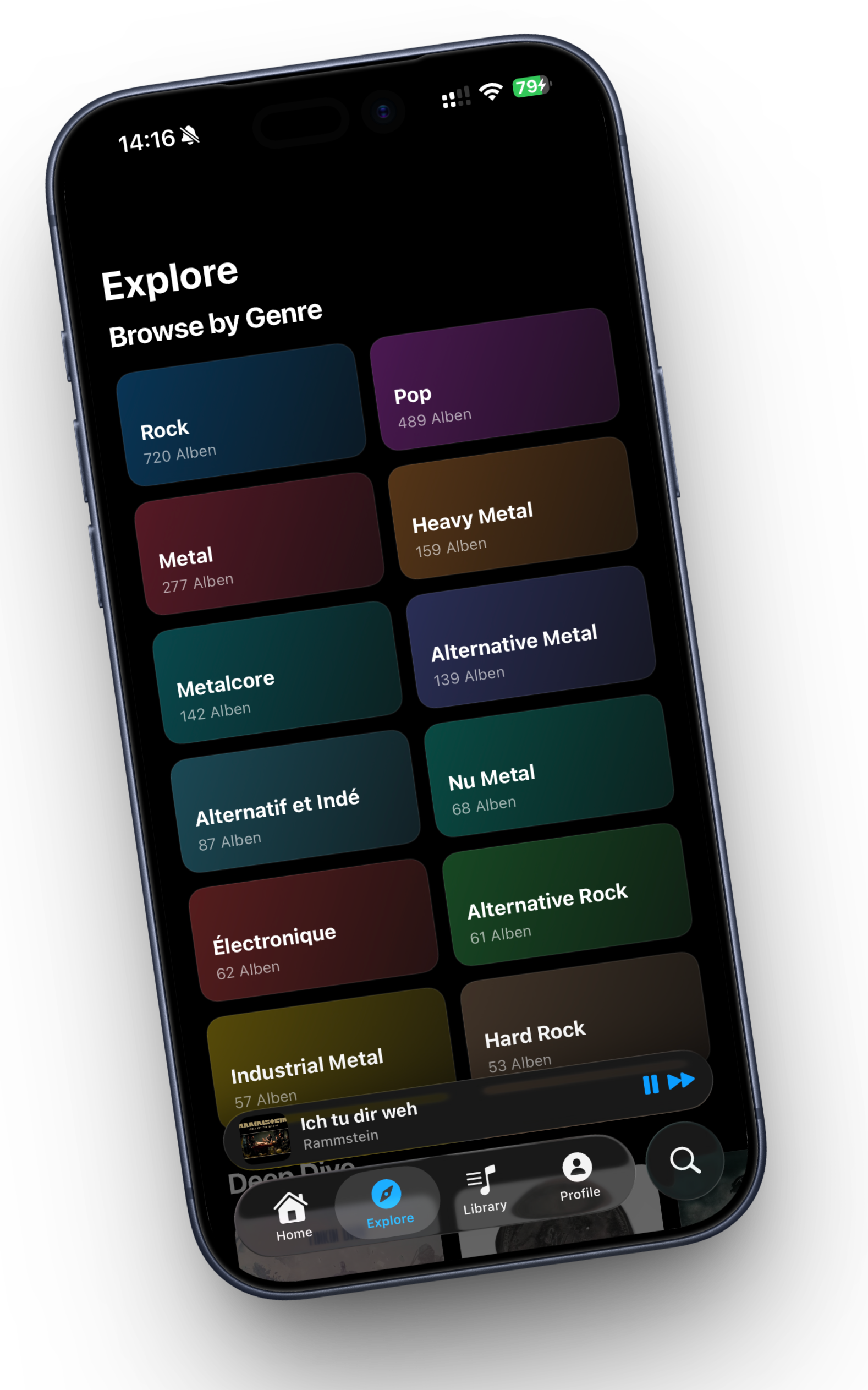
Browse your shelf, colour-coded.
One genre, one colour. Rock blue, Metal gold, Electronique teal. Album count right on each tile. Tap one — and you're in.
- 12+ genre tiles in a colourful 2-column grid
- Album count per genre at a glance
- Sort by frequency or alphabetically
- Smooth integration with your library
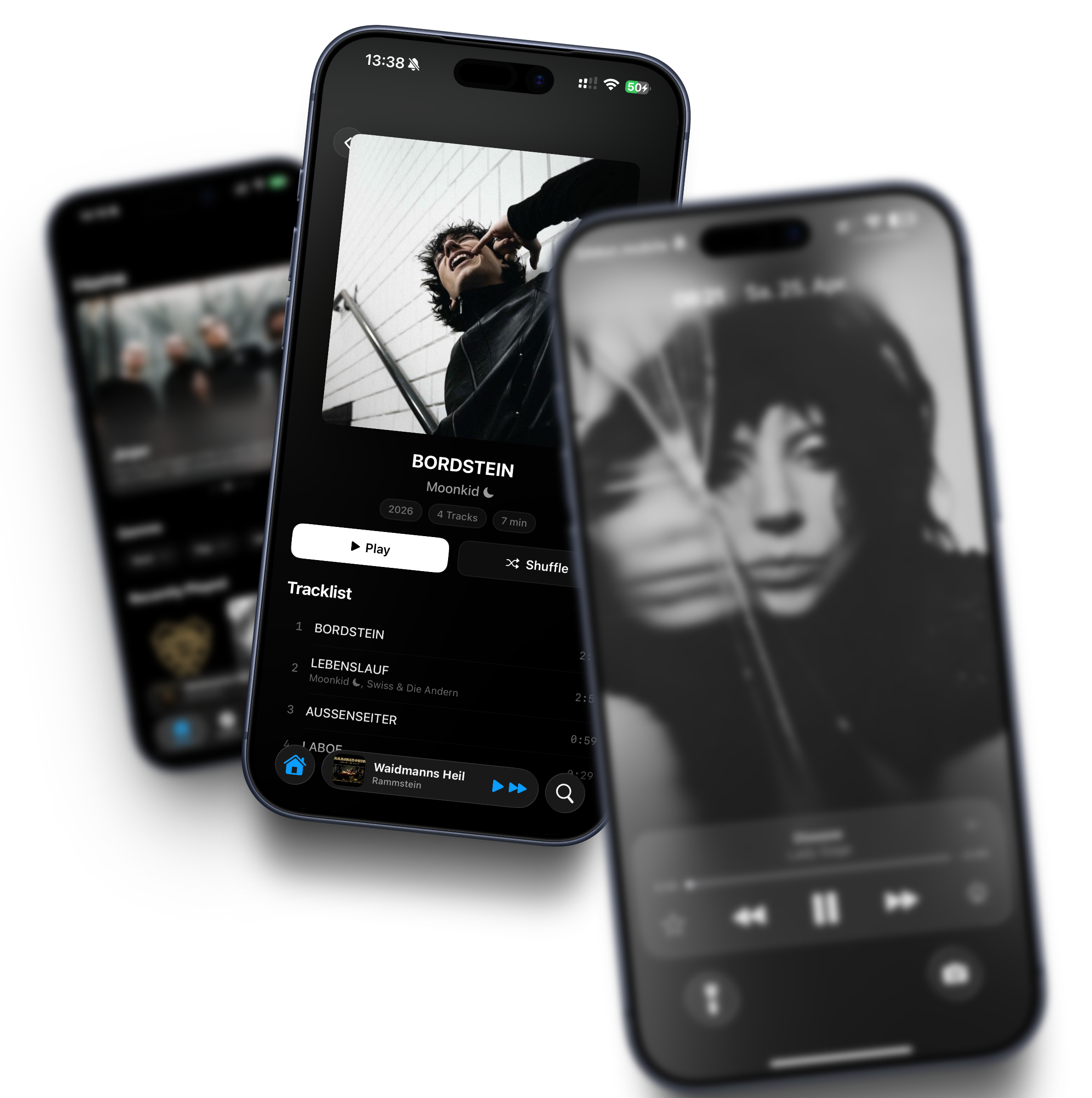
Every album, track by track.
Cover art fills the top, tracklist below. Play and shuffle right on the cover, durations and numbers next to each track. No extra taps.
- Complete tracklists with durations
- Play and shuffle buttons right on the cover
- Cover art as full-screen header
- Liner notes and release year when present
Quick answers.
Where do the animated lock-screen wallpapers come from?
Darktone pulls artist photos straight from your own server. Whenever a new track plays, the matching photo fades in full-screen — smoothly animated, in the spirit of iOS 17. Live Activities and Dynamic Island play along.
Which servers are supported?
Navidrome is the natural pairing, but Darktone speaks the full Subsonic API. So Airsonic, Gonic, Funkwhale, Submariner — anything Subsonic-compatible works just as well.
AirPlay 2, AirPods, Lossless?
All native. Lossless up to whatever your server delivers, gapless across formats, AirPlay 2 to any multi-room zone, Spatial Audio over AirPods Pro. CarPlay is in the works and lands in a later update.
Will my scrobbles work?
Last.fm and ListenBrainz, both. From the lock screen too. Darktone detects skips and queues failed scrobbles offline until they go through.
Does it need to be on my LAN?
No. Locally, over VPN (Tailscale, WireGuard) or via reverse proxy with a certificate — whatever you've already got running works.
What does Darktone see about me?
Nothing. No telemetry, no accounts, no cloud. What you listen to flows directly between your iPhone and your server. Last.fm and ListenBrainz only run when you switch them on yourself.
iOS 17+, iPad, macOS?
iOS 17 is the minimum. iPad runs natively with an adapted layout. The macOS app is in early development — TestFlight subscribers get the first invite when it's ready.
What's it cost?
Nothing during the beta. Once 1.0 ships, the player stays free. Pro features like multi-server come later, with their own price.
Press play on your library.
Grab the beta, point Darktone at your Navidrome server, pick a record. Three steps, one minute, and you're listening.
Get on TestFlight →